You need to be an editor or a facilitator of the client.
- Choose Edit map at the top right of the map. The button turns dark and reads Done editing.
- Make your changes. Each one is saved as you make it. There is no separate save for the map.
- Choose Done editing when you have finished.
Edit mode is not kept in the address, and reloading the page turns it off. Edit mode on the map and on a maturity map is the same thing, so turning it on in one turns it on in the other.
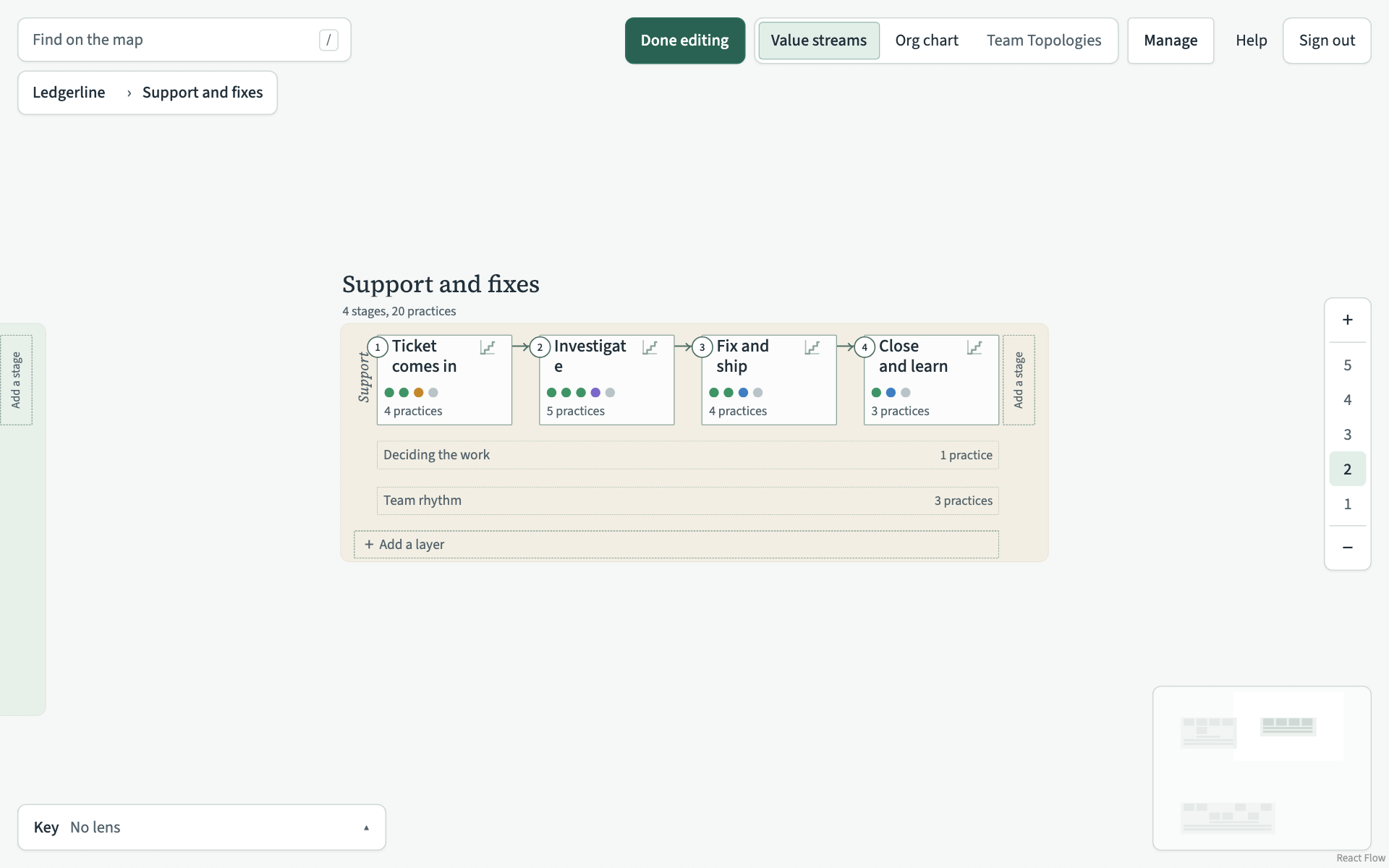
What you can add at each level
Edit mode shows dashed slots where something can go. Choose a slot to open a short form asking for a name.
| Level | What you can add | Where the slot is |
|---|---|---|
| 1 and 2 | Value stream | Below the value streams |
| 1 to 5 | Layer | At the foot of each value stream |
| 1 to 5 | Stage | At the end of each layer |
| 3 to 5 | Practice | In the top right of each stage, band and every-stage row |
What you can do on the map
- Rename. Double-click the name of a value stream, a layer or a stage, or a practice at level 4 or 5. Type the new name and press Enter, or click away. Escape keeps the old name. With a name focused, F2 does the same.
- Delete. Click a practice card, a stage, a band, a layer's name or a value stream's name to select it, then press Delete or Backspace. Each press deletes one thing. VSTA refuses to delete a stage, band or layer that still has something in it, and asks first before it deletes a value stream.
- Move. Drag a stage along its layer at level 1 or 2, or a practice card within its stage at level 4 or 5.
- Resize. At any level, drag the handles on a stage's or value stream's right edge, bottom edge or bottom right corner.
- Relate. At levels 4 and 5, drag from the small circle on a card's right edge to another card.
- Open the details. Choose Details on a stage, a band or a value stream, or double-click a practice, to change everything else in a dialog.
Deleting a practice card with the Delete key does not ask first. If the practice sits nowhere else, it is gone, with its relations. There is no undo.
If something cannot be saved, it goes back where it was and a message at the foot of the map says why.