The dialogs for a practice, a stage and a value stream have several sections, and each section has its own save button. Typing in a section is not saved until you choose that section's button.
If you try to close the dialog, with Close, Escape or a click outside it, while something is typed and not saved, a bar appears at its foot saying "You have changes you haven't saved."
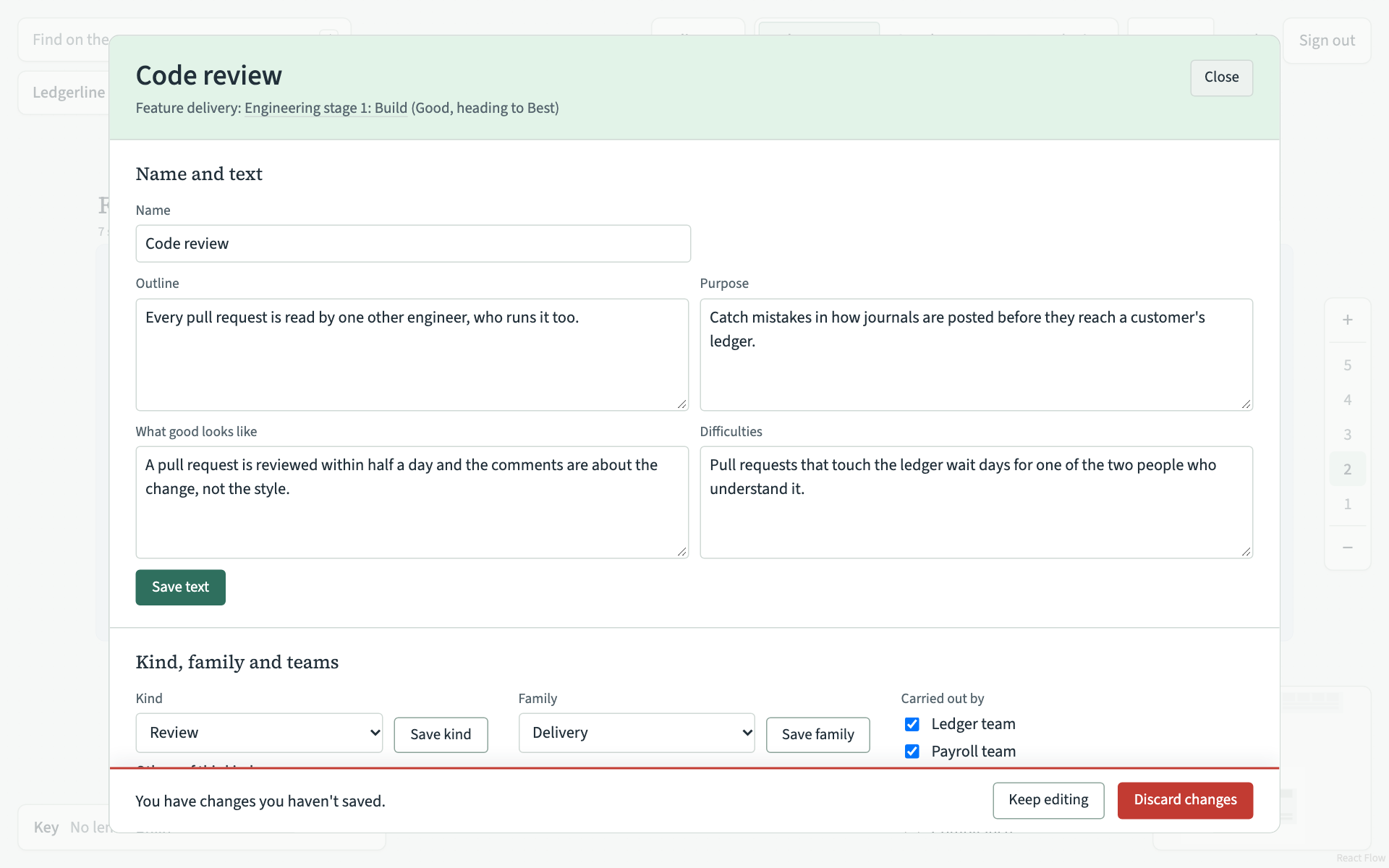
- Keep editing closes the bar and leaves you where you were. Save the section, then close the dialog.
- Discard changes throws away what you typed and closes the dialog.
The bar also appears when you follow a link out of the dialog, such as a stage or another practice, and when you choose Delete this practice with typing not yet saved.
When you save one section, the others keep what you have typed in them, so you can work through the record a section at a time.
Changes on the map itself, such as renaming, moving or resizing, are saved as you make them. They never need a save button.