A relation reads from one practice to another, such as "Code review competes with Pair programming". What the lines between practices mean explains the seven kinds.
Draw one on the map
- Turn on edit mode with Edit map and go to level 4 or 5.
- Hold the pointer over the practice the sentence starts with. A small circle appears on its right edge.
- Drag from the circle to the other practice and let go anywhere on its card.
- A list opens, headed with both names, such as "Reproduce in staging to Reproducing the problem". Choose the relation.
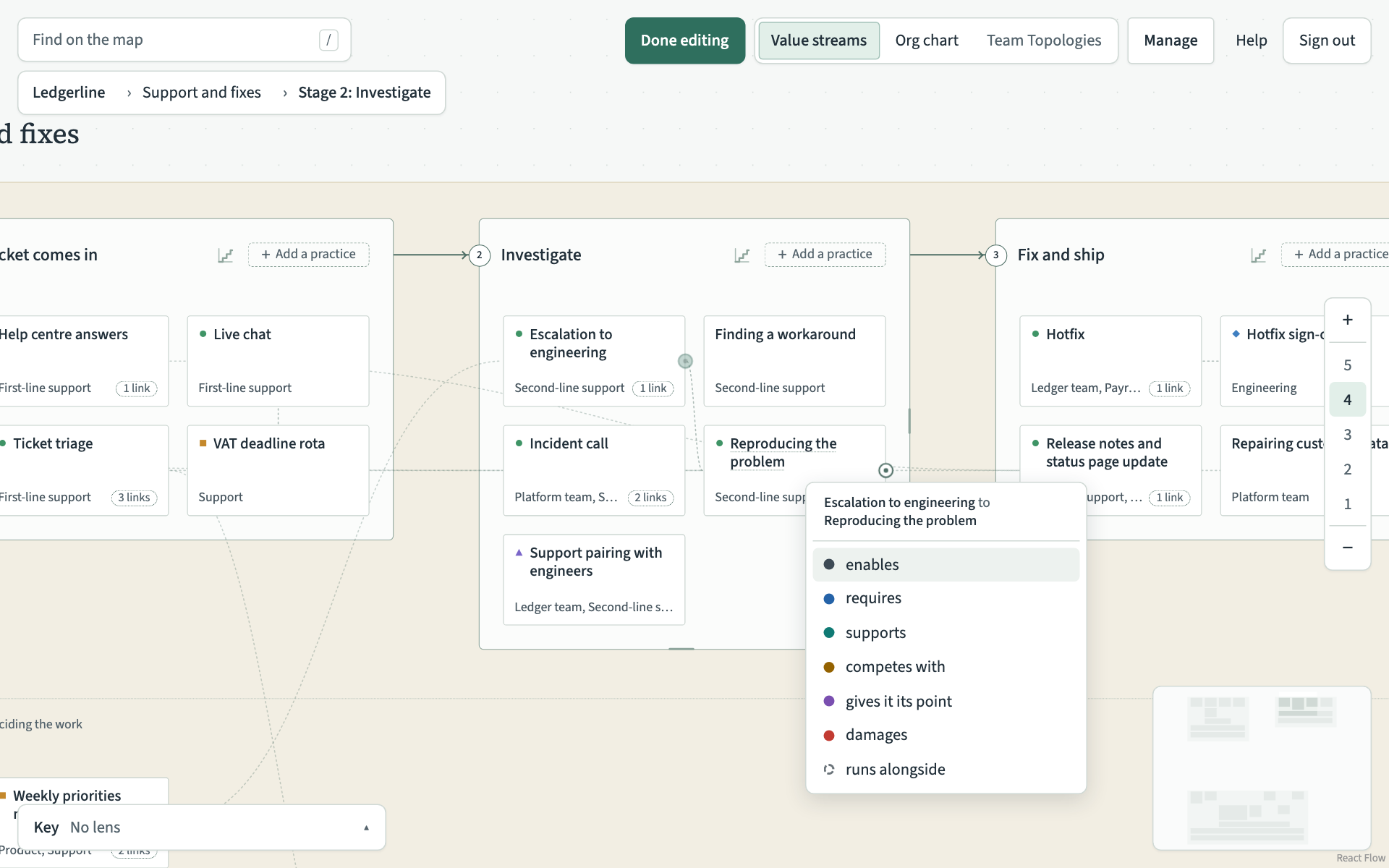
The new relation is drawn in its colour. To cancel instead, press Escape or click anywhere else.
With the keyboard, move to the first card with Tab and press C. Use the arrow keys to move to the other card and press Enter. Then choose the relation with the arrow keys and Enter.
If the two practices are already related that way, the map says "Those two practices are already related that way." A practice cannot be related to itself.
Add one in a practice's record
Use the record when the other practice is far away on the map, such as in another value stream.
- Open the practice the sentence starts with.
- Under Relations, choose the relation in This practice.
- Choose the practice in Other practice. Each one is listed with its value stream and where it sits.
- In How we know, choose stated or inferred. Stated and inferred relations explains the difference.
- Choose Add relation.
Change or remove one
- Open either of the two practices.
- Under Relations, find the sentence and choose Change or remove under it.
- To change it, choose another relation in Relation, or change How we know, and choose Save relation.
- To remove it, choose Remove relation.
A relation's direction cannot be changed. Remove it and add it again from the other practice.