The org chart shows the client's functions with the functions and teams inside them. Choose Org chart at the top of the map to open it. Value streams takes you back to the map.
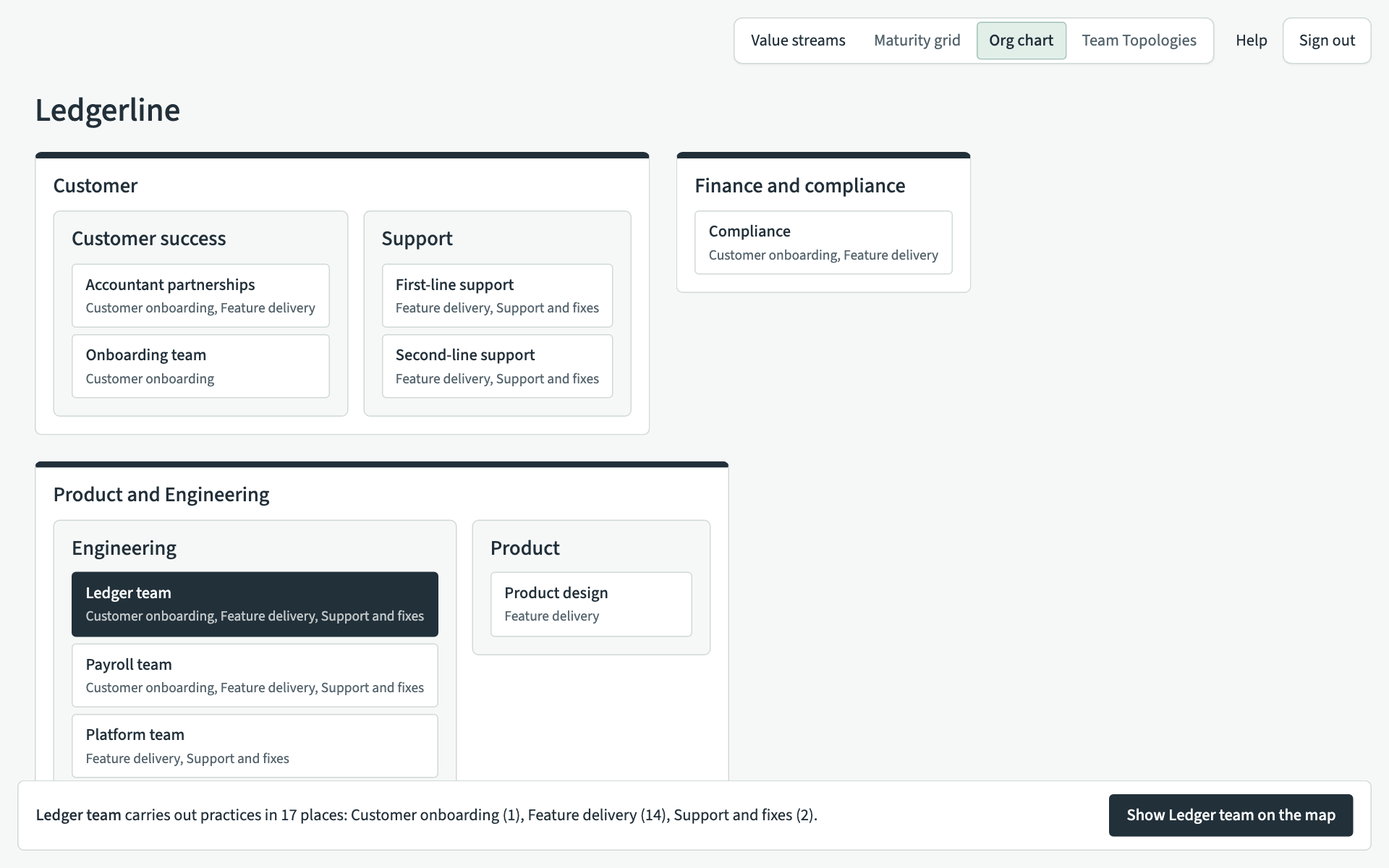
Each team lists the value streams it works in. A team with no practices on the map says "No practices mapped". Teams that are not inside any function are listed under "Not in a function".
Find where a team works
- Choose a team. It is highlighted, and the bar at the foot of the page says how many places it carries out practices in, for each value stream, such as "Ledger team carries out practices in 17 places: Customer onboarding (1), Feature delivery (14), Support and fixes (2)."
- Choose Show followed by the team's name, such as Show Ledger team on the map. The map opens with the Team lens on for that team.
A practice placed in two stages counts as two places.
Team Topologies at the top is not ready yet. The org chart also shows Maturity grid greyed out. There is no maturity grid: each stage has its own maturity map, opened from the stage on the map.
Editors add and rename teams and functions on the Manage page. Teams, functions, shared items and kinds explains how.