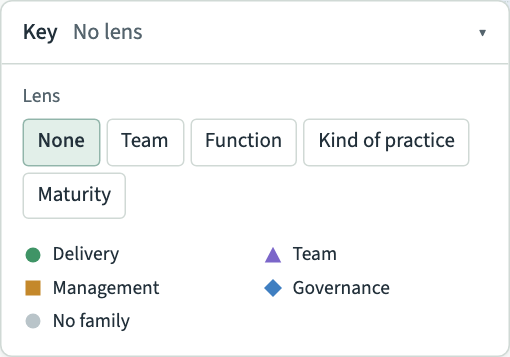
The key sits at the bottom left of the map, folded to one line. The line says which lens is on, such as "No lens" or "Team: Ledger team". Choose Key to open it, and choose it again to fold it away.
Families
With no lens on, the key lists the four families of practice and their symbols:
- a circle for Delivery;
- a triangle for Team;
- a square for Management;
- a diamond for Governance.
A grey dot means the practice has no family yet. The same symbols colour the small dots for each practice at level 2.
Relations
While a practice is selected, the key also lists the relation types in their colours. What the lines between practices mean explains each one.
Lenses
The top of the key holds the lenses, which colour or highlight the map in other ways. Use a lens explains them. When a lens is on, the key shows what its colours mean in place of the families.