Each stage has its own maturity map. It shows how mature each of the stage's practices is, how key each one is to the stage, where the team wants it to get to, what is holding it back, and what the team is trying.
Open it
- On the map, go to level 2 or closer.
- Choose the small chart icon at the top right of the stage. Its tooltip says "Maturity map".
The maturity map covers the whole screen. The address gains ?maturity= and the stage's id, so you can share a link that opens it.
To close it, choose Close or press Escape. The map is back exactly as you left it.
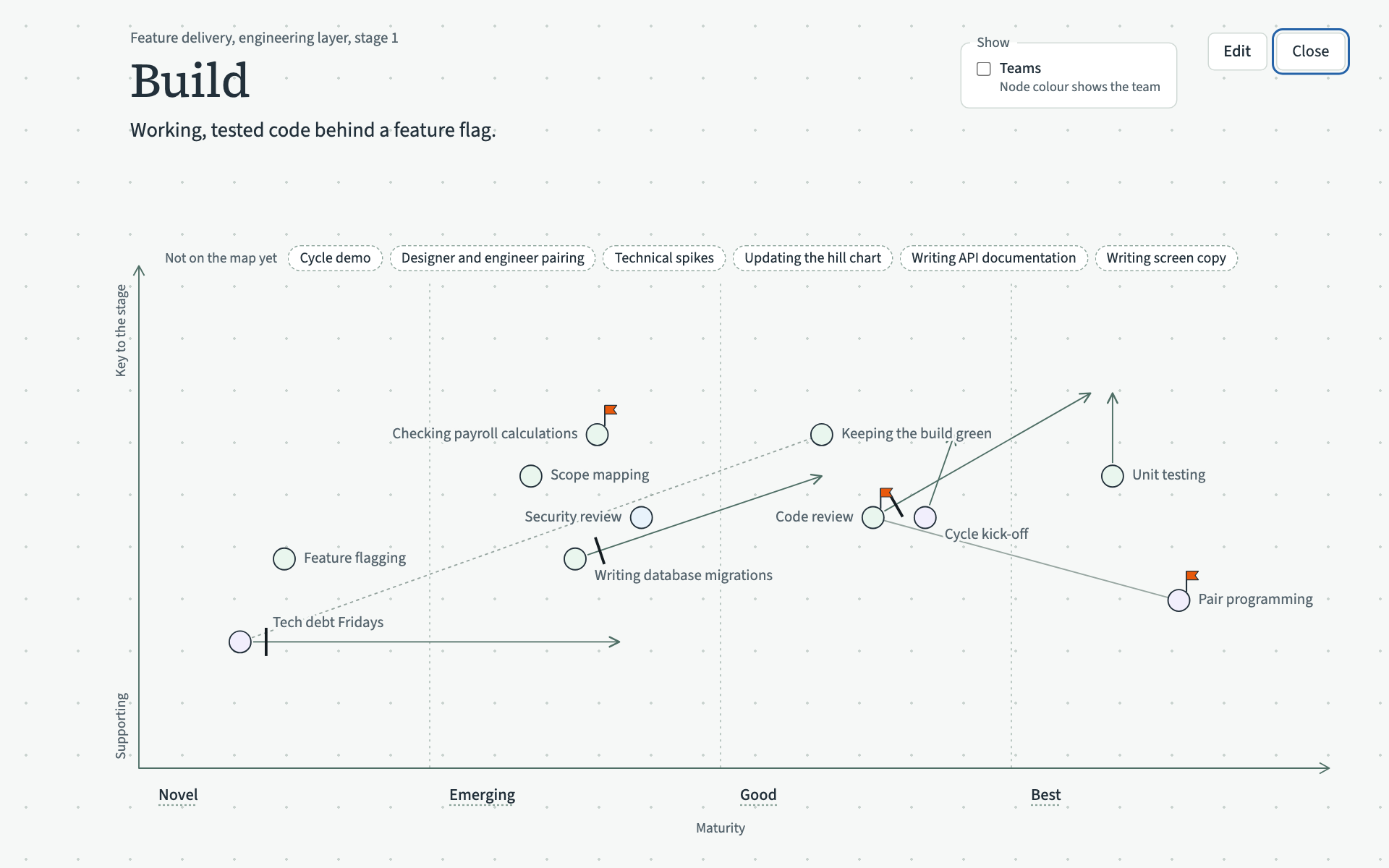
What it shows
- At the top, the value stream, the layer and the stage number, such as "Feature delivery, engineering layer, stage 1", then the stage's name and its shared end. A stage with no shared end says "No purpose written for this stage yet."
- Maturity runs from left to right in four columns: Novel, Emerging, Good and Best.
- How key a practice is to the stage runs up the left side, from "Supporting" at the bottom to "Key to the stage" at the top.
- Each practice is a small circle with its name beside it. Thin grey lines join practices that are related.
- Practices in the stage that nobody has placed yet are listed above the graph under "Not on the map yet".
Three marks can sit on a practice:
- An arrow points to where the team wants the practice to get to.
- A short black bar means something is holding the practice back. Hold the pointer over it to read what, such as "Held back: Reviewers are spread thin across teams".
- An orange flag means the practice is part of an experiment. Hold the pointer over it to read the experiment's name and what the team expects to change.
Find your way around it
- Click a level's name under the graph, such as Good, to read a short guide to that level. Escape or a click anywhere else closes it.
- Click a practice's circle to select it. Its relations are drawn in their colours with labels, and the practices it has no relation to fade. Escape or a click on an empty part clears the selection.
- Click a practice's name to open its record over the maturity map. Closing the record brings you back to the maturity map.
- Tick Teams in the Show box at the top right to colour each practice by the team that carries it out, with a key of the teams. A practice with several teams takes the colour of the first in the key, and a practice with no team stays grey.
Escape steps back one thing at a time: an open guide or selection first, and then the maturity map itself.