You need to be an editor or a facilitator. Readers see the same maturity map with nothing to change.
- Open the stage's maturity map.
- Choose Edit, beside Close. It turns dark and reads Done editing. This is the same edit mode as Edit map on the map, so the map stays in edit mode when you close the maturity map.
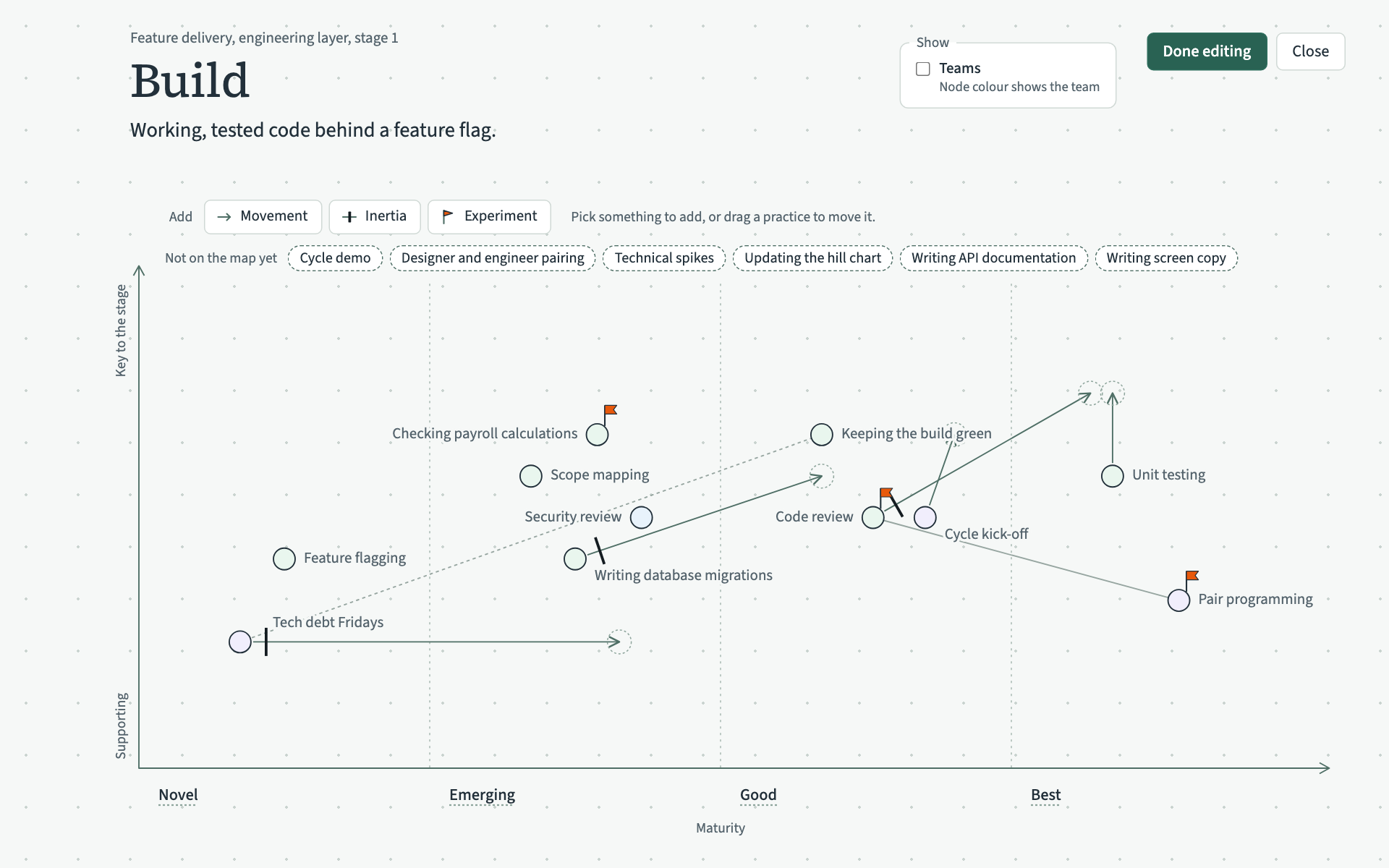
Place a practice
Drag a name from "Not on the map yet" onto the graph and let go where it belongs: left to right for its maturity, and up or down for how key it is to the stage. Its record then shows its maturity for this stage.
With the keyboard, move to the name with Tab and press Enter. The practice goes in the middle of Novel, and you can move it from there with the arrow keys.
Once a practice is on the maturity map it stays on it. You can move it, but you cannot put it back under "Not on the map yet".
Move a practice
Drag its circle to the new place. You can also click the circle and use the arrow keys, which move it a short way at each press, or further with Shift held. A step to the left or right never stops in the gap between two columns. It goes to the edge of the column, and the next press hops into the neighbouring column.
Every move is saved when you let go. If VSTA cannot save it, the practice goes back where it was and a message says why.
Choose Done editing when you have finished.