An experiment is something the team is trying, such as pairing on Tuesdays for six weeks, with what it expects to change. On the maturity map, each practice in the experiment carries a small orange flag. Hold the pointer over a flag to read the experiment's name and "We expect:" with what the team expects.
One experiment can cover several practices in the same stage. A practice can be in one experiment at a time.
Start an experiment
- Open the stage's maturity map and choose Edit.
- In the Add toolbar, choose Experiment.
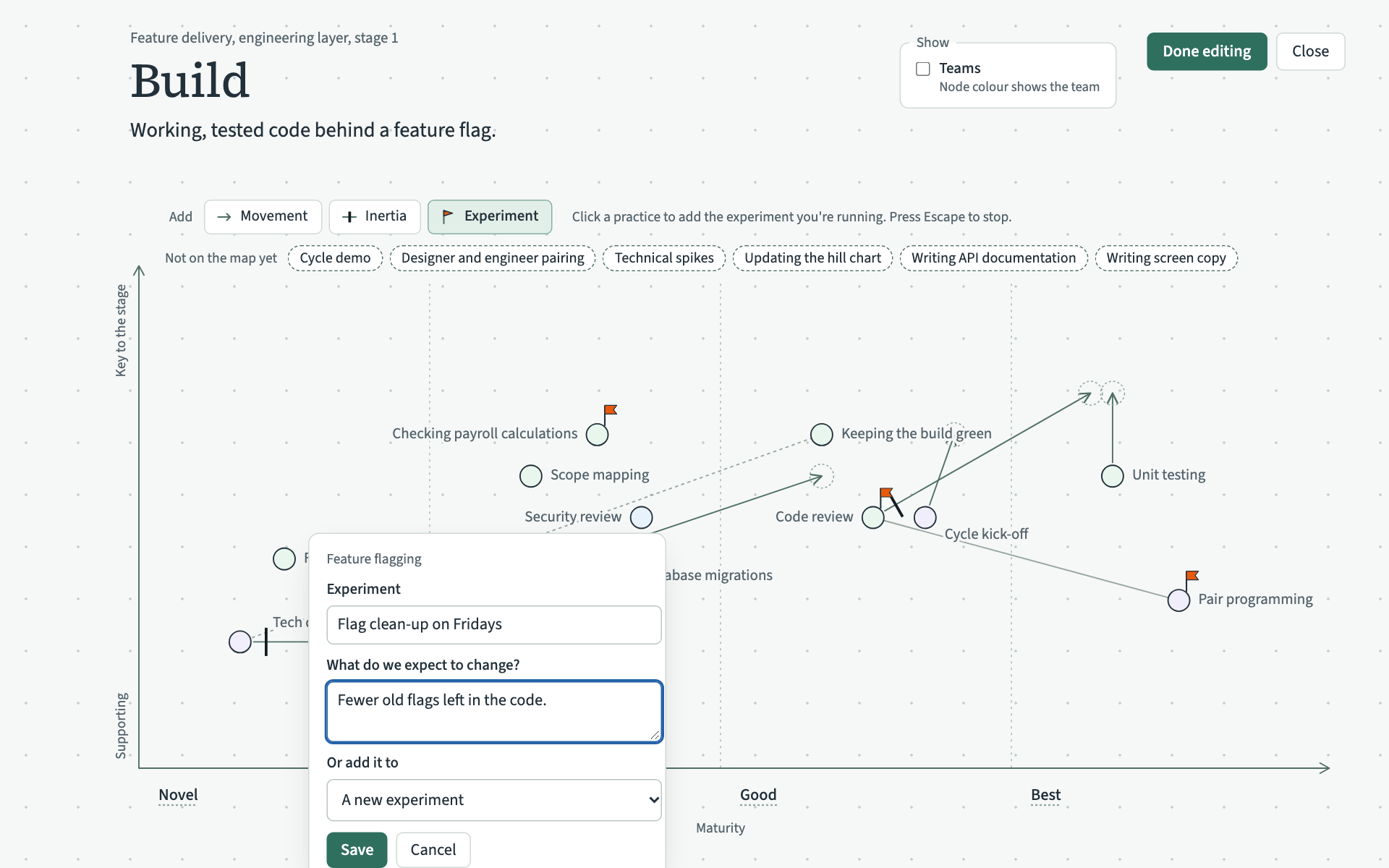
- Click the practice. A small form opens.
- Under Experiment, type its name. Under What do we expect to change?, say what the team hopes will be different.
- Choose Save.
Add another practice to it
With Experiment chosen, click the other practice. When an experiment is already running in the stage, the form has Or add it to. Choose the experiment there in place of A new experiment, and choose Save. The practice gets a flag of its own.
Change it
In edit mode, click one of its flags. The form opens with the experiment's name and what you expect. Change them and choose Save. The change shows on every practice in the experiment.
Take a practice out
In edit mode, click the practice's flag and choose Take this practice out. The flag goes. When you take the last practice out, the experiment itself goes.