Inertia means the team wants to move a practice on, and something stops it. On the maturity map it is a short black bar beside the practice, or across the start of its arrow. Hold the pointer over the bar to read "Held back:" and the note.
Add it
- Open the stage's maturity map and choose Edit.
- In the Add toolbar, choose Inertia.
- Click the practice, or its arrow. A small form opens, asking "What's holding it back?"
- Type a short note, such as "Release approval sits with one person", and choose Save.
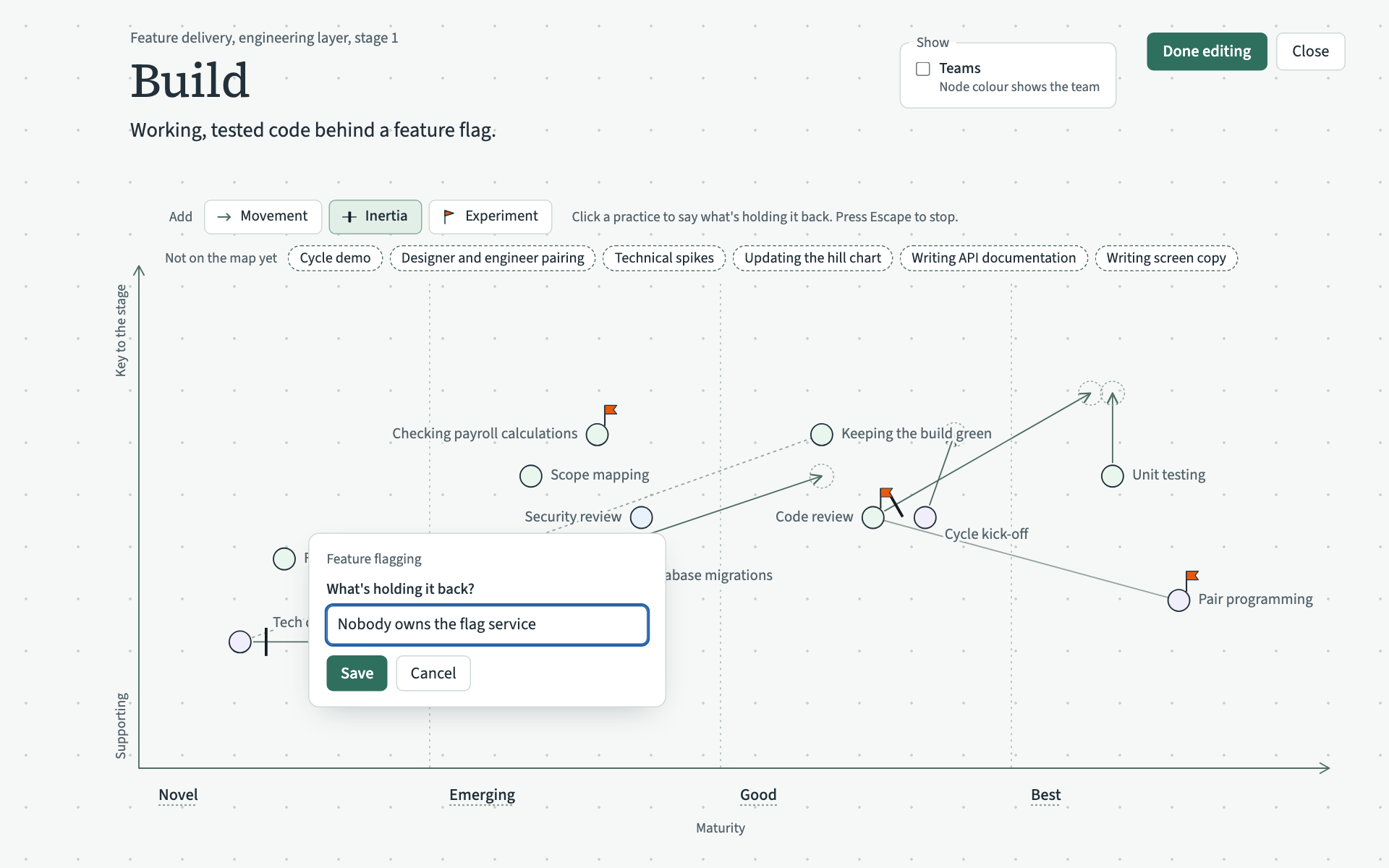
Cancel closes the form without saving. The note cannot be empty.
Change or delete it
In edit mode, click the black bar. The same form opens with the note filled in. Change it and choose Save, or choose Delete to take the bar away.
A practice has at most one note of what holds it back on each stage's maturity map.