The Members page lists everyone in the client with their role. Open the client's map and choose Manage, then Members.
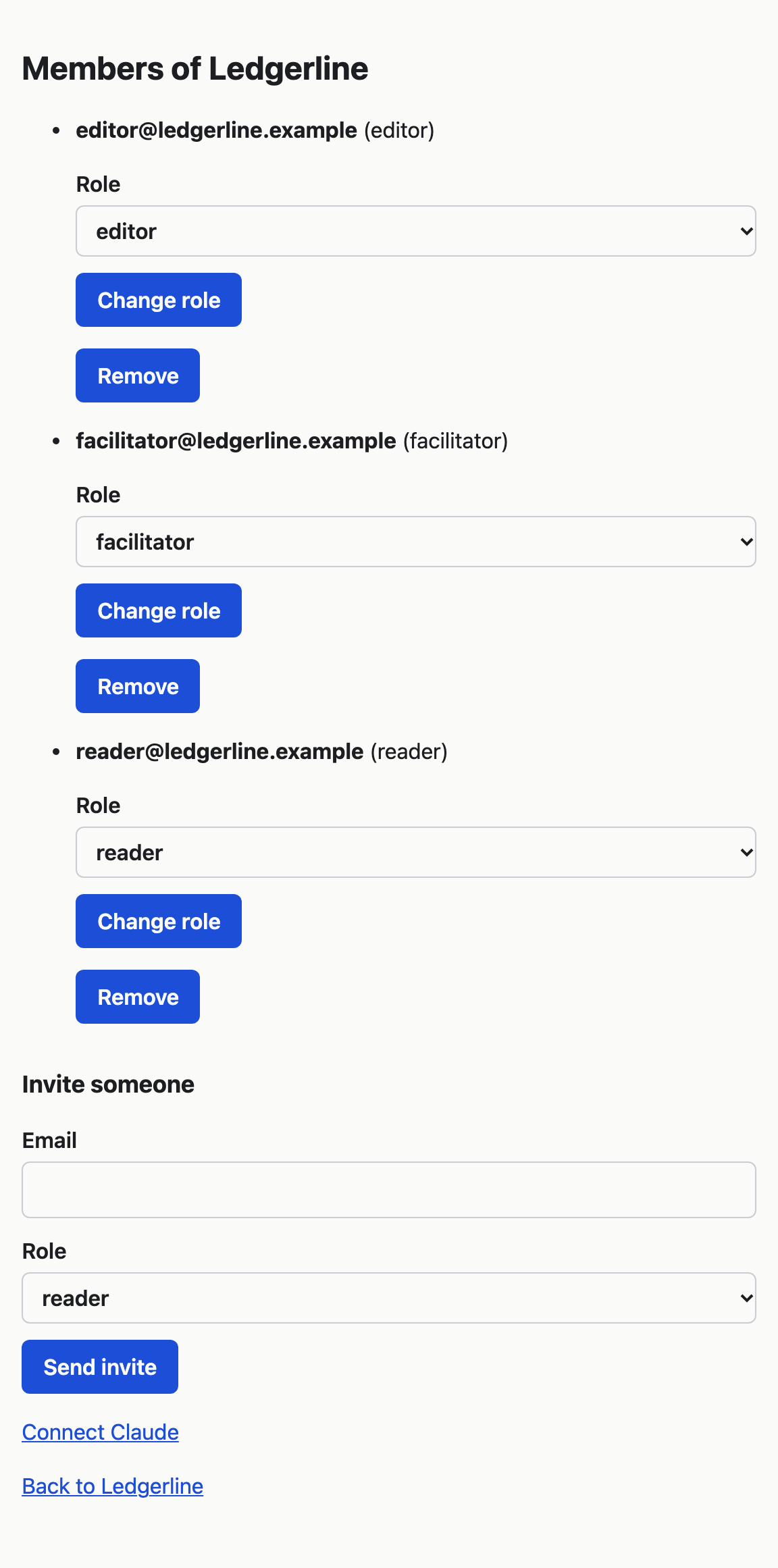
People you have invited appear here only once they accept. Invite someone and change their role explains inviting.
Change someone's role
Choose the new role in the Role list beside the person and choose Change role. It takes effect on their next page or save. Someone made a reader while they have the map open in edit mode finds their next change refused.
Remove someone
Choose Remove beside the person. VSTA does not ask first.
Once removed, the person:
- cannot open the client's map or any of its pages. If they try, they see the same page as for an address that does not exist;
- loses every Claude connection they made to this client, straight away;
- keeps their other clients, if they belong to any.
Their changes stay on the map, and the Changes page still shows them under their email address.
To let them back in, invite them again. Their old Claude connections do not come back. As a facilitator they would make new ones.
Taking away the facilitator role
Changing a facilitator to an editor or a reader also removes every Claude connection they made to this client, because only facilitators can connect Claude. The connections stay gone if they are made a facilitator again.
The last facilitator
A client always has at least one facilitator. VSTA refuses to remove the last facilitator, or to change their role, and says "A client needs at least one facilitator. Make someone else a facilitator first." This applies to you too: you can remove yourself or step down only while another facilitator remains.