You need to be a facilitator of the client to invite people.
Invite someone
-
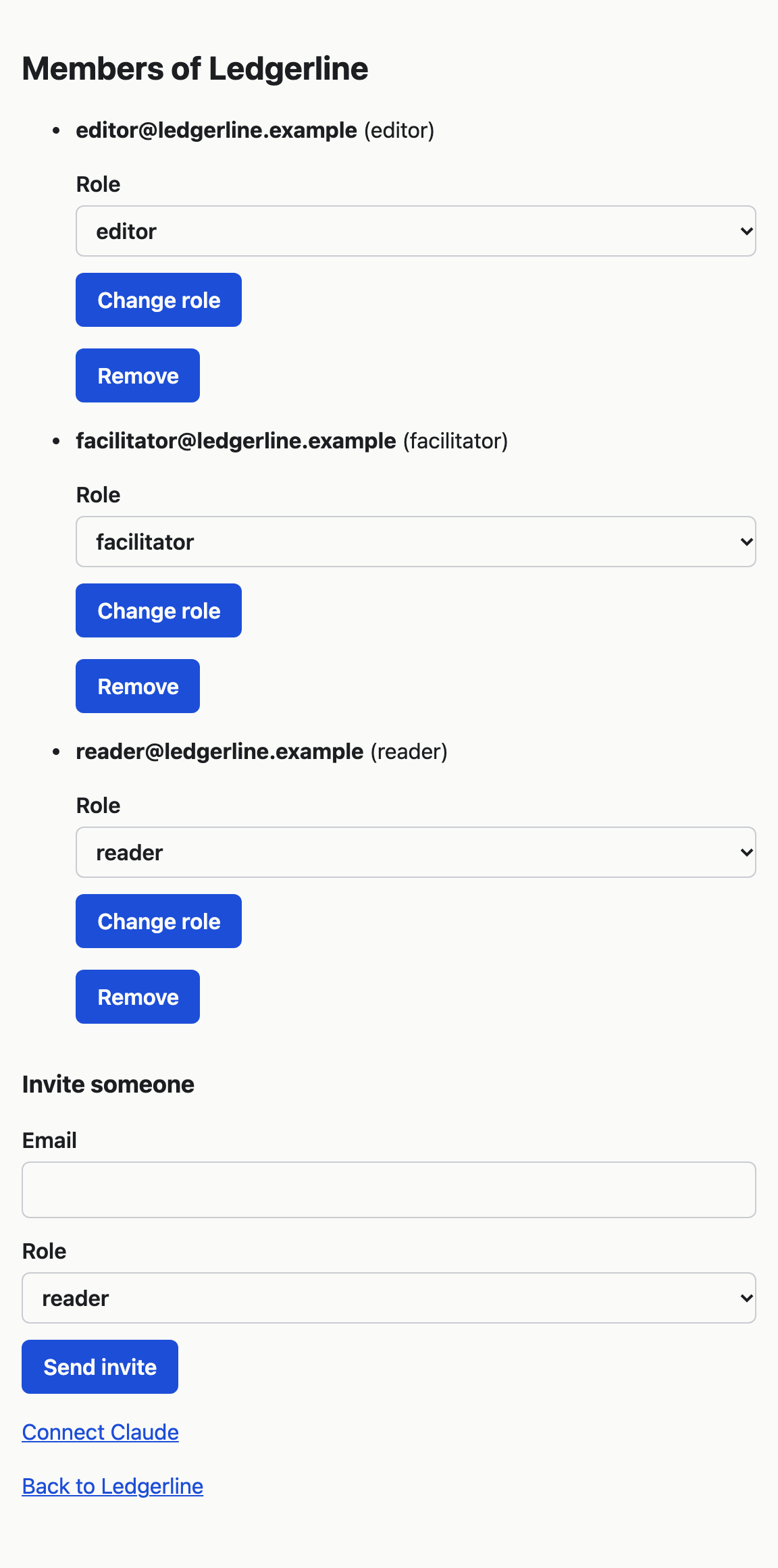
Open the client's map and choose Manage at the top right, then Members.
-
Under Invite someone, type the person's email address in Email.
-
In Role, choose reader, editor or facilitator. The form starts on reader. Facilitators, editors and readers says what each can do.
-
Choose Send invite.
VSTA emails the person a link to join the client. The link lasts 14 days. They do not appear on the Members page until they accept. If the link runs out first, send another invite.
If the person already belongs to the client, the page says "That person already belongs to this client." Change their role instead.
Change someone's role
- On the Members page, find the person. Each member shows their email address with their role in brackets.
- Choose the new role in the Role list beside them.
- Choose Change role.
The change takes effect straight away, the next time the person opens or reloads a page.
A client needs at least one facilitator. If you try to make the last facilitator an editor or a reader, the page says "A client needs at least one facilitator. Make someone else a facilitator first."
Taking the facilitator role away from someone also removes their Claude connections to this client. Change a role or remove someone explains what else changes.